STL splitter · Photo 3D scanner
Split any STL for your printer. Scan real objects from photos.
SplitSTL cuts an oversized 3D model into parts that fit your build plate, with pins or magnets and an assembly guide, and turns 20 to 100 photos of a real object into a watertight STL at its real size. Free preview in your browser, nothing to install.
- 22
- printer presets
- 20–100
- photos per scan
- 19
- tools, most of them free
Split an STL to print it big
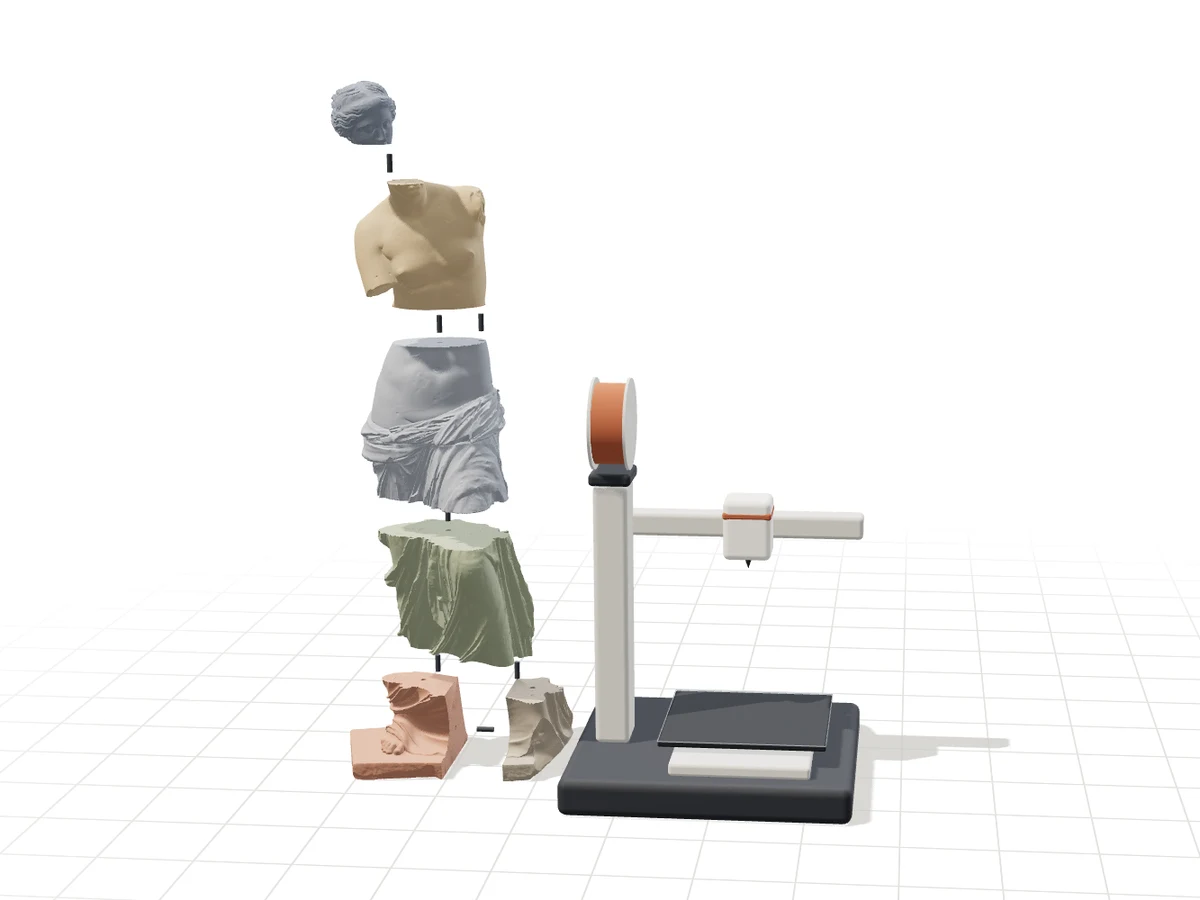
Drop a model, choose your printer from the presets or type your bed size, and set the final size in centimetres. The splitter computes the fewest parts that fit, adds connectors on every cut face and orients each part flat on the bed. Grid cuts are free; the natural-joint split cuts a figure at its necks, wrists and plinth like a mould maker would.
- Open your fileSTL, OBJ, 3MF or GLB, up to 95 MB. The preview runs in your browser.
- Choose printer and size22 printer presets (Bambu Lab, Prusa, Creality, Elegoo…) or a custom bed.
- Pins or magnetsPrinted pins with a clearance you choose, or holes for round magnets.
- ExportOne STL per part, a 3MF with print plates, and an illustrated assembly guide.
Guides by slicer: Bambu Studio · PrusaSlicer · OrcaSlicer · Cura · tools compared · every printer
Scan an object in 3D from photos

Photogrammetry finds the same details in overlapping photos, works out where each photo was taken, then measures depth to rebuild the surface. We run AliceVision on our own GPU, remove the table under the object, close every hole and scale the model to the height you enter, so the file goes straight to the slicer or the splitter.
| Photos aligned | 31 / 40 |
| Size (W × D × H) | 105.4 × 103.5 × 150 mm |
| Watertight solid | ✓ |
| Triangles | 300 000 |
| GPU time | 197 s |
- 40 to 60 photosWalk around the object in two or three rings, at different heights.
- Overlap and soft lightEach photo shares about two thirds with the next; no flash, no blur.
- A textured, matte objectShiny, transparent or plain white surfaces cannot be matched.
- Enter the real heightMeasure it with a ruler: the STL comes back at that size.
Everything between the file and the print
Browser tools run on your computer and upload nothing. GPU tools run on our own card in Vienna; your files are deleted automatically after 48 h, or 14 days once paid.
Scan and create
Objects, photos, text and logos become 3D models.
- Photo scan20–100 photos of a real object → a watertight STL at real size.Credits
- Image to 3DOne photograph of an object becomes a watertight 3D model (TRELLIS.2, MIT licence).Credits
- Photo reliefA photo becomes a bas-relief, computed in your browser.Free + Pro
- LithophaneA photo becomes a backlit lithophane: flat, curved or cylinder.Free + Pro
- Text to 3D (AI)A written description becomes a 3D model: hypotheses for lost or fragmentary objects.Credits
Check and repair
Measure, repair, convert and lighten a mesh before printing.
- STL viewerDimensions, volume, weight, watertightness and the printers a model fits on.Free
- GPU repairCloses holes and gaps and rebuilds a watertight, printable solid on our GPU.Free + Pro
- ConverterSTL, OBJ, 3MF, PLY, GLB: scale to real size, rotate, mirror, change units.Free + Pro
- Resin hollowingHollow shell with drain holes and plugs: lighter, cheaper resin prints.Free + Pro
Print big
Split for your bed, test the fit, estimate time and cost.
- Model splitterCuts a model too big for your bed into parts that fit, with pins or magnets and an assembly guide.Free + Pro
- Natural-joint splitCuts a figure at its natural seams (neck, wrists, base) instead of a grid: fewer visible joints.Pro
- Tolerance testCalibrated holes and pins: find the right clearance before a big print.Free
- Print costReal print time, material and cost, sliced in your browser.Free
- CalculatorsCost, selling price, filament length and printer calibration.Free
Make and personalise
Parts, signs, lithophanes, storage and gifts.
- Technical partsEnclosures, hinges, brackets, knobs and threads as STL or STEP.Free + Pro
- 3D textName plates and lettering in 3D, STL or two-colour 3MF.Free + Pro
- Logo to 3DSigns, cookie cutters and stamps from a logo or a drawing.Free + Pro
- GridfinityModular Gridfinity bins and baseplates for drawers and workshops.Free + Pro
- Gift figurineA figurine on a base with an engraved name: a gift from one photo.Credits
Built on published research.
We use methods that have been peer reviewed and code released under licences that allow it. The full list, with authors, venues, repositories and licences, is on the methods page.
| Task | Method | Reference | Code |
|---|---|---|---|
| Splitting for the printer | Grid or natural-joint partition, with connectors | Luo et al., ACM TOG 2012 (Chopper) | SplitSTL engine |
| Constructive geometry | Manifold boolean operations | — | elalish/manifold · Apache 2.0 |
| Photogrammetry (photo scan) | AliceVision structure-from-motion and multi-view stereo | Griwodz et al., ACM MMSys 2021 | alicevision/Meshroom · MPL 2.0 |
| Watertight solid from a scan | Ray-parity voting over several directions, marching cubes, quadric decimation | Nooruddin & Turk, IEEE TVCG 2003; Lorensen & Cline, SIGGRAPH 1987; Garland & Heckbert, SIGGRAPH 1997 | scikit-image · BSD-3 |
| Image to 3D reconstruction | TRELLIS.2 (structured 3D latents, flow matching) | Xiang et al., arXiv 2512.14692, 2025; Xiang et al., CVPR 2025 | microsoft/TRELLIS.2 · MIT |
Free to try, then pay per use or subscribe
The preview, the browser tools and your first export are free, and so is your first photo scan. After that, pay per use or go Pro with no commitment.
No ads, no selling your data: SplitSTL lives on its subscribers.
Secure payment by Stripe · card, Apple Pay, Google Pay
Frequently asked questions
How do I split an STL that is too big for my printer?
Open it in the splitter, pick your printer and set the final size. SplitSTL computes the parts that fit your bed, adds pins or magnet holes on each cut and lays every part flat. Download one STL per part or a 3MF with print plates for Bambu Studio, PrusaSlicer or OrcaSlicer.
Is it free?
The preview and every browser tool are free and need no account. Your first export of up to 12 parts is free; after that an export costs €4.99, or Pro gives unlimited exports for €7.99.
Which file formats work?
STL (binary or ASCII), OBJ, 3MF and GLB/glTF up to 95 MB. Exports are STL per part and 3MF with plates.
How many photos do I need for a 3D scan?
At least 20, ideally 40 to 60, up to 100. Take them in two or three rings around the object, at different heights, with each photo overlapping the next by about two thirds. A phone camera is enough.
Which objects scan well?
Matte objects with texture or detail: statues, toys, shoes, stones, carved wood, food. Shiny metal, glass and plain white surfaces give the matching nothing to hold on to; dust them with a little powder or try the single-photo AI reconstruction.
How long does a scan take and what does it cost?
About 3 to 6 minutes on our GPU for 40 photos, plus the queue. Your first scan is free; after that a scan costs 3 credits, and Pro includes 10 credits every month.
Can I split a scan to print it at full size?
Yes: the result page of the scanner opens the STL in the splitter in one click, at the real size you entered.
What happens to my files?
Browser tools never upload anything. Files sent to our server are used only for your job, never to train models, and deleted automatically after 48 h, or 14 days once paid.
Your printer is bigger than you think.
Split a model for the bed you have, or scan the object on your desk and print it.